
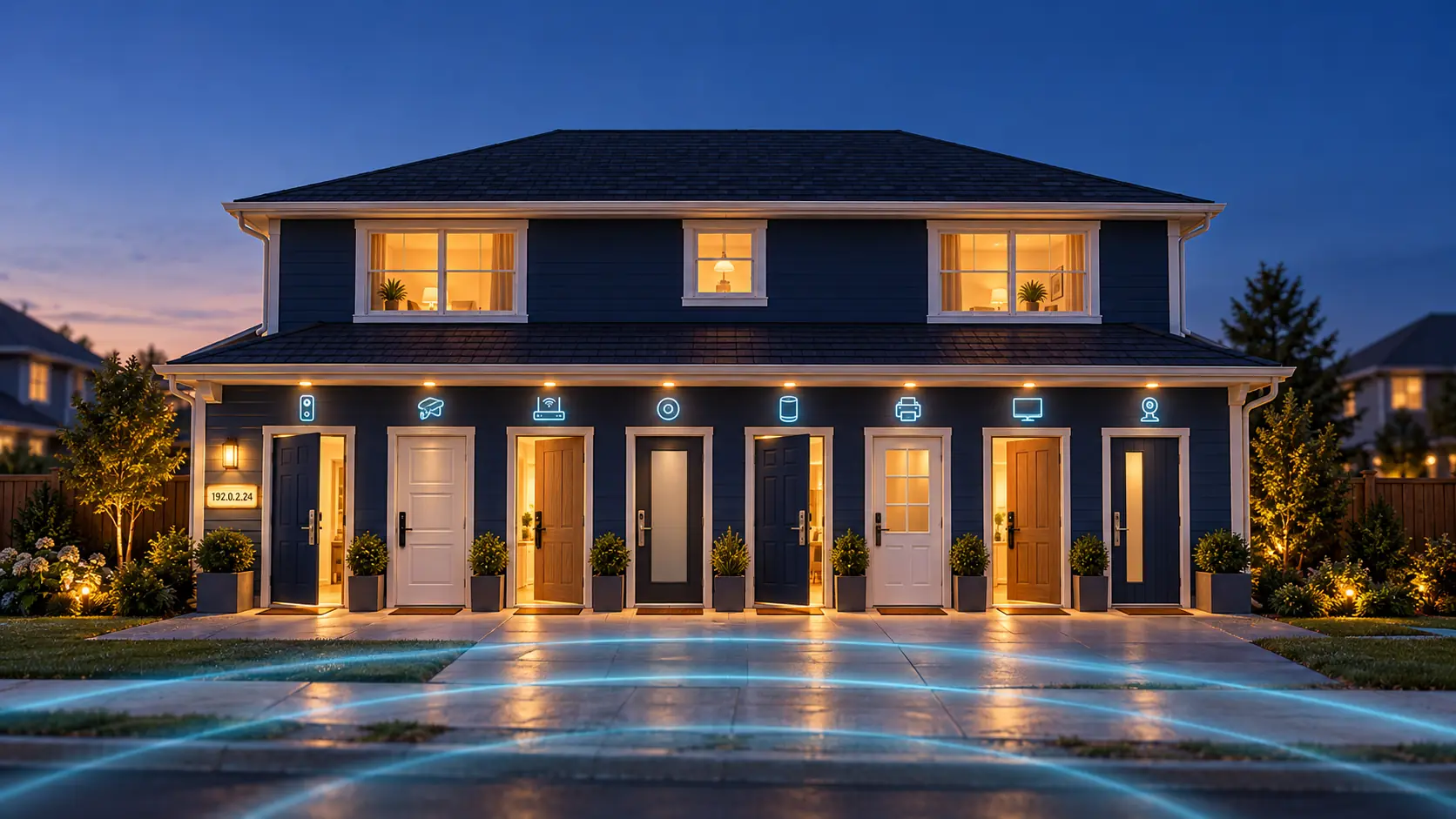
Your Home Network Has an Address. Is Every Door Locked?
The average home today has more than twenty internet-connected devices: the router, smart TV, streaming stick, doorbell camera, thermostat, baby monitor, printer, smart plugs. We think of them as gadgets. A better way to think of them is as doors. Every one of them is a way into your home network, and like any door, it's only as safe as its lock.
This post explains, in plain language, how strangers on the internet find those doors, how you can check your own home, and what to do to lock things down.
Your home has an address, and it isn't a secret
Every home connected to the internet has an IP address. Your internet provider assigns it to your router, and it works exactly like your street address: it's how data knows where to go.
And just like your street address, it's effectively public. Every website you visit, every app you open, every email server you connect to sees it. It has to, otherwise the reply couldn't find its way back to you. You can see your own right now by searching "what is my IP" in Google.
That's not a problem by itself. Everyone on your street knows your house number too. The house number isn't the risk. The risk is what's behind it, and whether the doors are locked.
A quick technical note: inside your home, each device gets its own private address (usually something like 192.168.1.25) that the outside world can't see directly. Your router is the front of the house. It holds the public address and decides what gets in. That makes the router the single most important door you own.
Strangers walk the street every day, checking doorknobs
Here's the part most people don't realize. Nobody has to target you specifically. There are automated programs, called scanners, that go through every IP address on the internet, one after another, and check which doors are open.
The internet only has about 4.3 billion of these addresses (in the common IPv4 format), and modern scanning tools can sweep all of them in under an hour. So it's not "if" your address gets checked. It gets checked constantly, every day.
What are they checking? Each address has thousands of numbered ports. Think of these as the doors and windows of the house. A camera might leave one open so you can view it from your phone. A router might leave its admin login page open to the internet. An old device might be running a service nobody has used in years.
When a scanner finds an open door, it notes what's behind it: the brand, the model, often the software version. Some scanners are run by researchers and security companies (search engines like Shodan and Censys publicly catalogue what's exposed online). Others are run by criminals, who use the list to match devices against known weaknesses and break in automatically. Hijacked devices are often quietly drafted into botnets, huge networks of compromised cameras and routers used to attack other targets, without the owner ever noticing.
The reports are clear: the problem is unpatched doors
This isn't theory. Bitdefender and NETGEAR's 2025 IoT Security Landscape Report, based on data from over 6 million homes, found the average household now has about 22 connected devices and faces roughly 29 attack attempts every single day. Streaming devices, smart TVs, and IP cameras were among the most targeted.
The most important finding: 99.4% of the exploits they saw went after weaknesses that were already known and already fixed by the manufacturer. In other words, the fix existed. The update just never got installed.
Forescout's research points the same direction, ranking routers as the riskiest category of network equipment, largely because they sit exposed to the internet, often with outdated software and unnecessary open ports.
That's the whole story in one sentence: the lock exists, but nobody installed it. That's why patching matters so much.
How to check your own home
You don't need to be technical to do a basic check. Set aside 20 minutes.
1. Find your public IP address. Search "what is my IP" in Google. Write it down.
2. See what the internet already knows about you. Go to shodan.io, create a free account, and search for your IP address. If nothing comes up, that's a good sign. If it lists open ports, a camera, a router login page or any device name, that door is visible to the whole internet.
3. Run a free port check. Gibson Research's ShieldsUP! tests your connection for open ports from the outside. Ideally everything comes back closed or "stealth." Anything listed as open deserves a closer look.
4. Take an inventory. Log in to your router (the address and password are usually on a sticker on the router itself, or in your provider's app) and find the list of connected devices. You'll probably find a few you forgot about. Free apps like Fing can also list everything on your Wi-Fi.
5. Look for doors you didn't mean to open. While you're in the router settings, check:
- Port forwarding: any rules here are deliberate holes in the wall. Remove any you don't recognize or no longer need.
- UPnP: this lets devices open doors on their own without asking you. Convenient, but risky.
- Remote management / remote admin: this exposes the router's own login page to the internet. Most people don't need it.
One important rule: only scan and test addresses you own. Scanning someone else's network can be illegal.
How to lock the doors
Most of the protection comes from a handful of habits.
Update everything, starting with the router. Check your router's firmware version and install any update, then turn on automatic updates if it offers them. Do the same for cameras, smart TVs, and streaming devices (the setting is usually in the device's companion app). Given that almost all attacks use already-fixed weaknesses, this one step closes most of the risk.
Change every default password. Routers, cameras, and DVRs often ship with passwords like "admin" that are published online. Attackers try these first. Use a long, unique password for each device, and store them in a password manager.
Close the doors you don't use. Turn off UPnP and remote management unless you have a specific reason to keep them. Delete old port-forwarding rules.
Put your gadgets on their own network. Most modern routers let you create a guest network. Put smart TVs, cameras, plugs, and other gadgets there, and keep your laptops and phones on the main network. If a cheap camera gets compromised, the intruder is stuck in the garage instead of walking into the house.
Use strong Wi-Fi security. Use WPA3 if your router supports it, or WPA2 at minimum, with a strong Wi-Fi password.
Turn on two-factor authentication for the accounts that control your devices: your camera app, smart home app, and router account.
Retire devices that no longer get updates. If the manufacturer has stopped releasing firmware for an old router or camera, it's a door with a broken lock that will never be fixed. Replace it. When buying new devices, favour brands that publish how long they'll provide security updates.
Re-check a few times a year. New devices get added, settings drift, and new weaknesses are discovered. A quarterly 20-minute check keeps you ahead.
The bottom line
Your IP address is like your street address. Everyone can see it, and that's fine. Automated scanners walk past your house every day trying every doorknob. You can't stop them from walking by. What you control is whether the doors are locked.
Know what devices you have. Close what you don't need. And keep everything patched, because almost every break-in happens through a door that already had a lock available.
Sources